Queue board
Your Dutchie guest list becomes a calm “Now serving” board. Guests see their name and where to go; your budtenders stop shouting across the floor.
- Reads check-ins from Dutchie
- Spotlight, list or grid layouts
- Names shortened for privacy
Every TV in your store, live, in 3D — on the wall where it really hangs, playing what it’s really playing. Click a TV to change it.
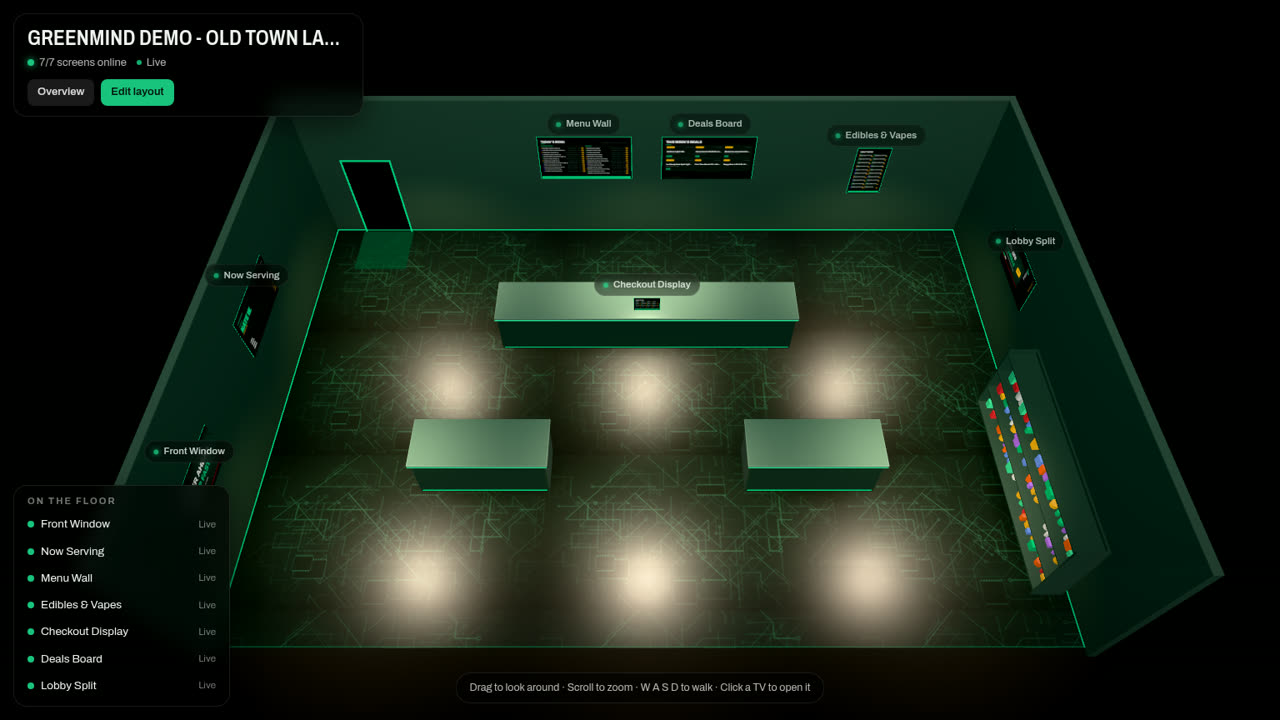
Every TV, live
Each screen sits where it hangs in your store and shows what it is playing right now. A dark TV shows up red.
Click to change it
Click a TV to switch its playlist, queue or menu board, reload it, or grab a live frame from the real screen.
Your layout, in minutes
Sketch the floor plan and drop the TVs on the walls. We can also scan the store for a photoreal model.
Supply Chain · Pro
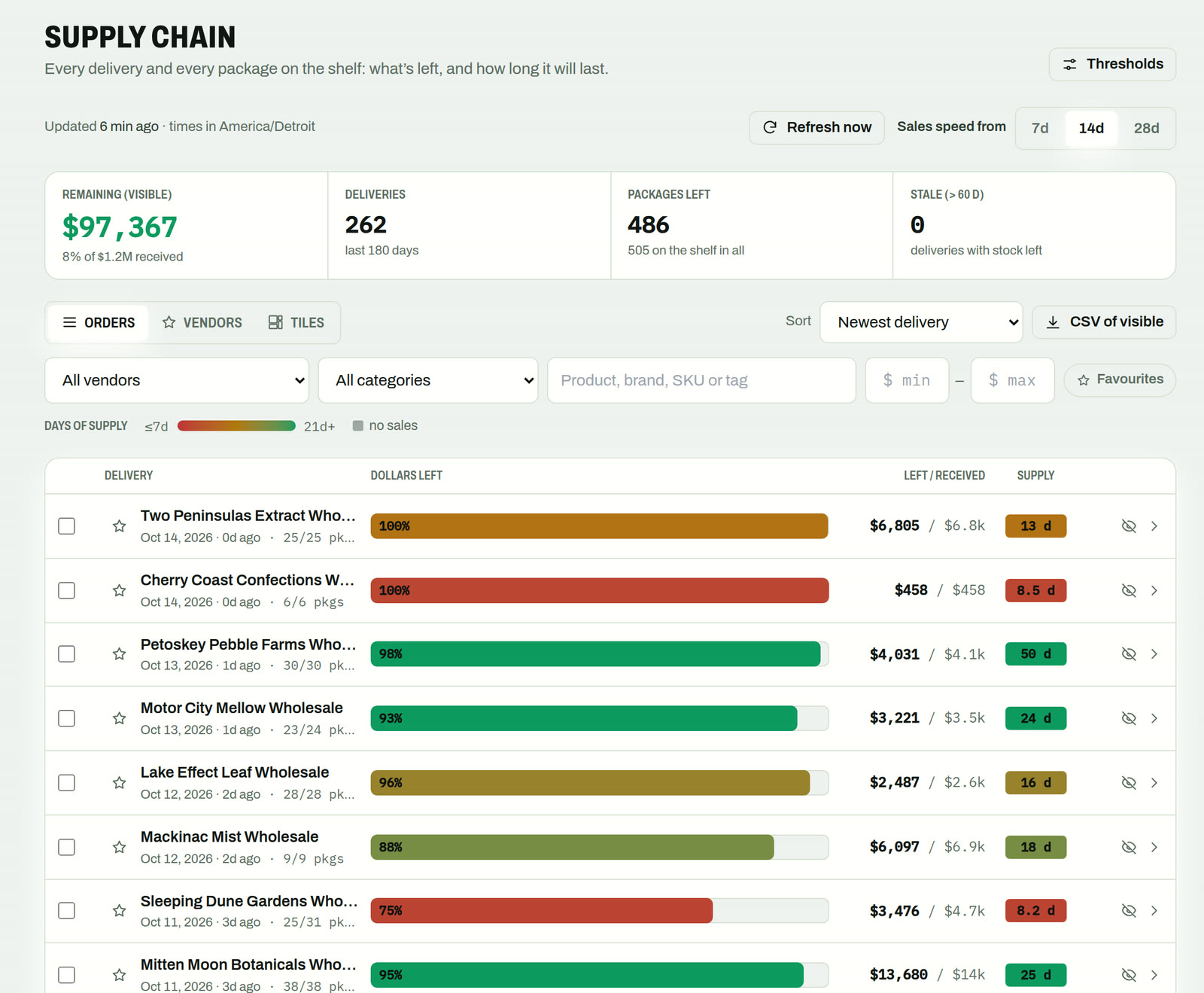
Every delivery and every METRC package, with what’s left of it and how long it will last at today’s sales speed. Red runs out this week; green has weeks to go.
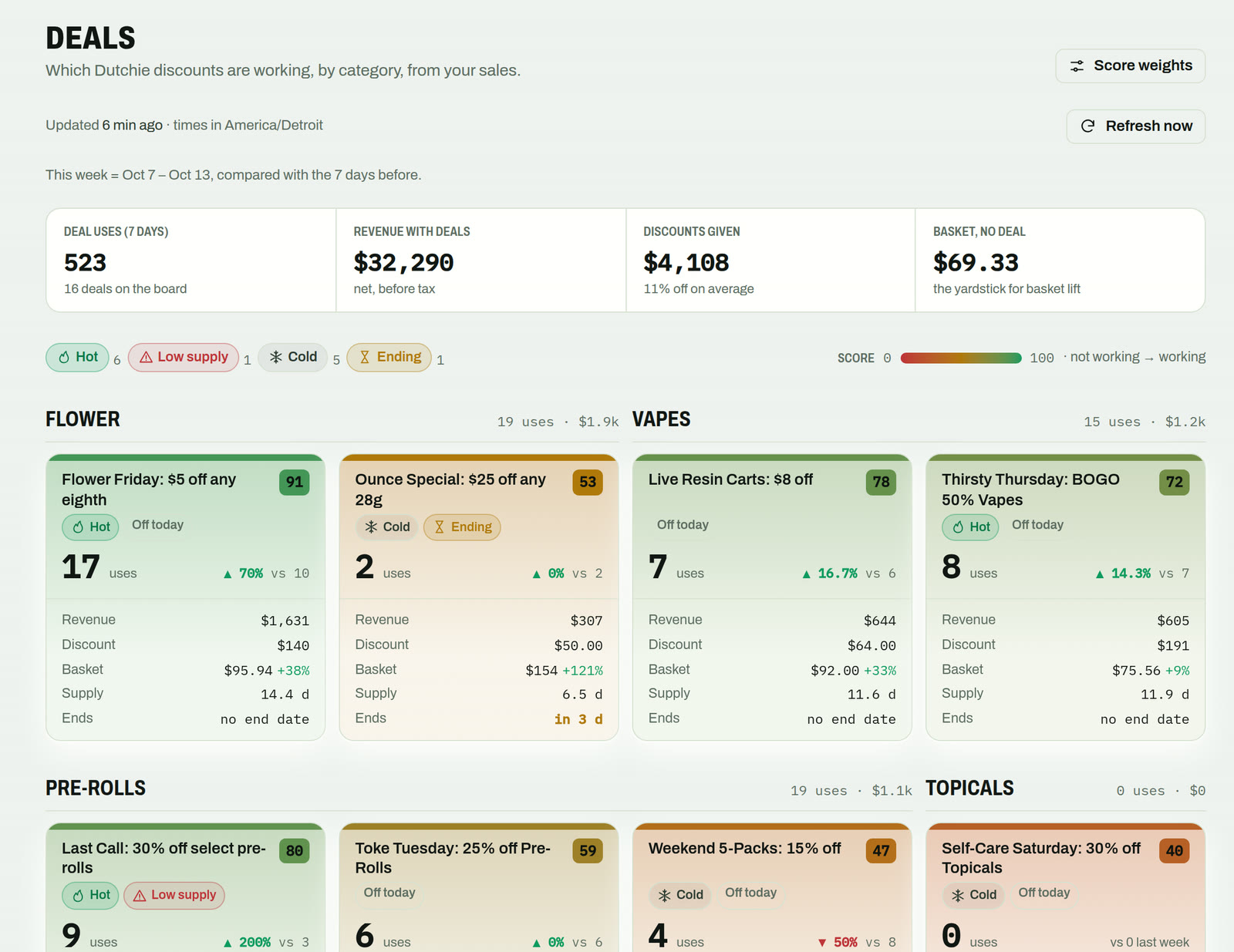
Deal performance · Pro
Your Dutchie discounts, scored from your own POS sales and grouped by category. Hot, cold, ending soon or about to run out of stock — colour-coded so you see it in a second.
On the screens
Every screen in your store can show any of these — or two at once on Pro’s split layout.
Your Dutchie guest list becomes a calm “Now serving” board. Guests see their name and where to go; your budtenders stop shouting across the floor.
Menu boards and customer-facing kiosks built from your live Dutchie inventory. Prices and stock follow Dutchie, and discounts show up as sale badges.
Drop in images and video, set start and end dates, and let promos retire themselves. On Pro, schedule by time of day with dayparts.
Setup
We designed setup for the person standing on a ladder holding a TV. No app, no typing, no IT ticket.
Your player box arrives already assigned to your store. Connect it to the TV and power. On Ethernet, it starts playing on its own.
On Wi-Fi, the TV shows a QR code. Scan it with your phone: Android sends the Wi-Fi details over Bluetooth, iPhone joins the TV’s temporary hotspot.
Name the screen, pick what it shows, done. No app to install, no codes to type with a TV remote.
Ethernet
Plug in and it plays. Nothing else to do.
Android phones
Wi-Fi details sent to the TV over Bluetooth.
iPhones
Join the TV’s temporary hotspot for a moment.
Reliability
A blank screen is the first thing a customer notices. So the player is built to keep going without anyone touching it.
Offline-first
Content is stored on the box. If the internet drops, the screen keeps playing.
Self-healing
The player restarts itself if something hangs, and updates itself safely in the background.
Alerts before you notice
When a screen goes quiet, your team and ours get an alert, so it gets fixed before customers notice.
A clear audit trail
Every change to a screen is logged with who made it and when.
Billing
No surprise line items, no hunting for a contract in someone’s inbox.
Accept the service agreement online once. It’s versioned and on file, so everyone knows what was agreed.
All your stores and screens on a single invoice per period. Pay monthly, or annually with two months free.
Quotes, agreements and invoices never carry card or bank numbers. Payment details stay with the payment processor.
Screens stay on while your account is paid through. Late? You get a 7-day grace period before anything pauses — and paying switches everything back on instantly.
Pricing
Two plans. Starting prices shown — your quote confirms the details.
Everything a single store needs to run its screens.
from$249/store/mo
For busy stores that program their screens by time of day.
from$449/store/mo
Extra TVs
$15/TV/mo
Beyond your plan’s included screens.
Install visit
One-time
Priced per visit in your quote. Optional.
Pay annually
2 months free
Twelve months of service for the price of ten.
Prices are starting points in US dollars, per store, before any applicable tax. Your quote confirms the final numbers.
FAQ
Book a demo
A 20-minute walkthrough with your menu and your queue. If it fits, we send a quote link you can accept online.